SSO and SCIM
Verdictan gives organization connections and API handlers. They support OIDC, SAML 2.0, group mappings, and SCIM 2.0 provisioning.
Configure the connection. Test the connection. Verify recovery before you enforce the connection for all members.
:::warning Activate before you enable SSO
Before you enable SSO, configure the correct callback path. For OIDC, use
<console-origin>/sso/callback. For SAML ACS, use
<console-origin>/sso/callback or <console-origin>/auth/saml/callback. Use one
of these ACS paths when you download SP metadata.
Bind a verified email domain. Run the connection test. Complete emergency activation with a minimum of two recovery owners.
Then, enable or enforce SSO. If the callback is incorrect, SSO login fails.
:::
Prerequisites
Prepare these items:
- Get an identity provider administrator.
- Get a Verdictan identity administrator.
- Get the email-domain hint for discovery.
- Verify domain ownership when the organization policy makes it necessary.
- Get OIDC discovery and client credentials, or SAML metadata.
- Define the roles and teams for group mappings.
- Get a non-owner test user.
- Document an emergency owner and recovery path.
Do not use the only active owner as the first SSO test account.
Configure OIDC
In Settings → Single Sign-On, create an OIDC connection. Add this information:
- Add a clear connection name.
- Add the OIDC discovery URL.
- Add the client ID.
- Add the client secret.
- Add the email-domain hint.
Verdictan encrypts the stored client secret. When you edit the connection, keep the secret field empty to keep its value.
Register <console-origin>/sso/callback with the identity provider. Match the
scheme, host, path, and port exactly.
Configure SAML
For SAML, use the identity provider metadata URL. You can also add metadata
XML when it is necessary for the deployment workflow. Download SP metadata with ACS
<console-origin>/sso/callback or /auth/saml/callback. Verify the entity ID.
Verify the ACS before you test.
Validate:
- Make sure that the metadata parser accepts the metadata.
- Make sure that the signing certificate has not expired and the endpoints are correct.
- Make sure that the audience or entity ID matches.
- Make sure that email and identity attributes map correctly.
- Make sure that the clocks have the same time.
Plan certificate replacement before expiry. Keep the two certificates only when the identity provider supports an overlap. Verify which certificate signs each test assertion. Then, remove the expired certificate.
Test and activate before enablement
Run the console connection test. Complete emergency activation with two recovery owners. Then, enable SSO. Before enforcement, complete a sign-in through the non-owner account.
Verify:
- Make sure that domain discovery selects the specified connection.
- Use a verified domain or the enabled connection domain hint.
- Make sure that authentication returns to the correct organization.
- Make sure that the email and display identity are correct.
- Make sure that group mapping gives only the specified teams and roles.
- If you configure a fallback role, make sure that unmapped groups get only that role.
- Test logout.
- Test a new login.
- Make sure that the recovery owner can access the organization.
If a metadata test succeeds, it does not prove that login works. Complete an interactive login.
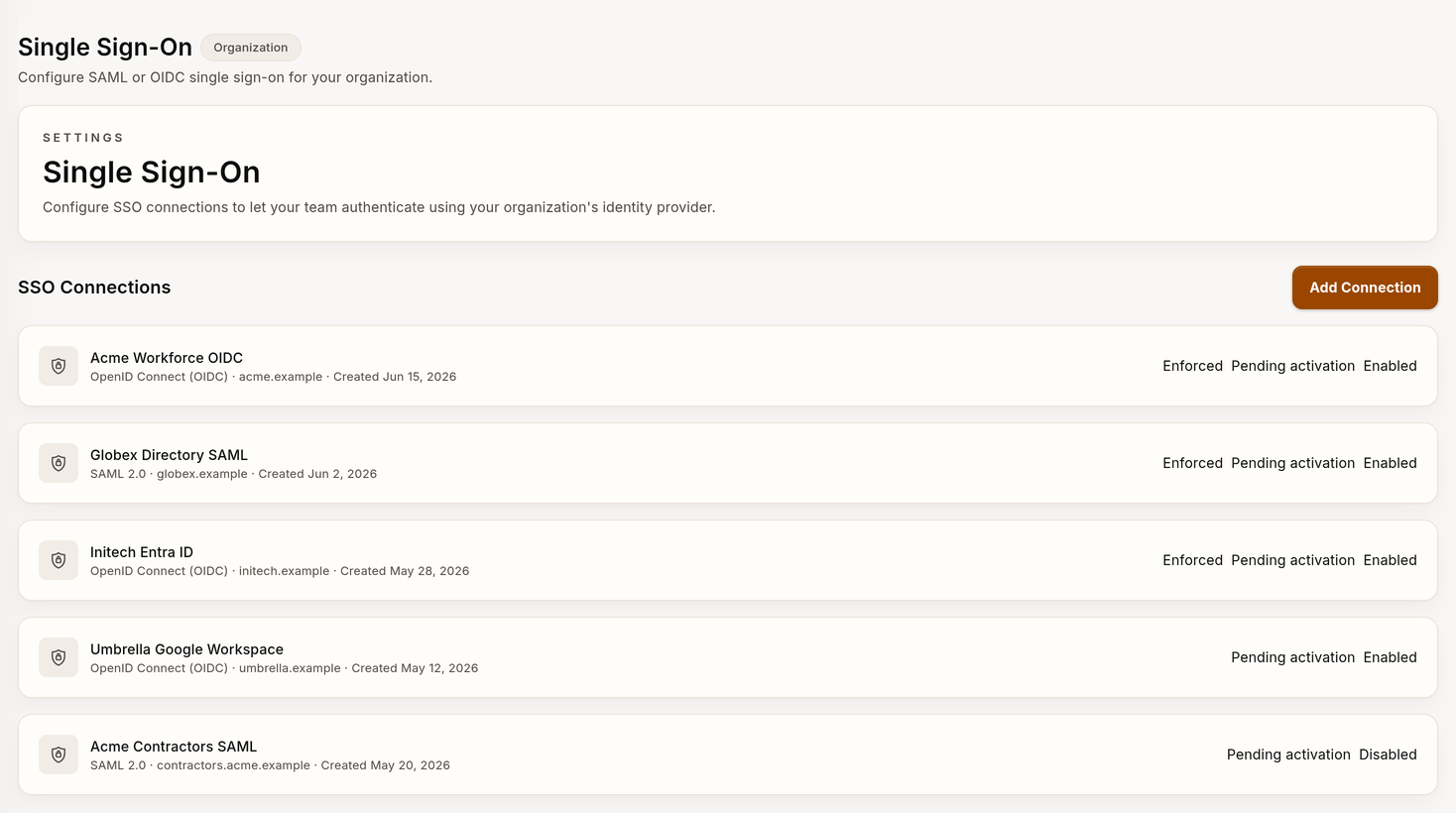
Example SSO connection inventory with synthetic data.
Map identity-provider groups
Configure the group claim name. Map specified IdP groups to Verdictan roles or teams. You can configure a fallback role for users with no matching group.
When sync on login is on, Verdictan evaluates mappings at each sign-in. Add an IdP group in a test. Remove an IdP group in a test. Examine each access change.
Do not map a broad default group to an owner or administrator role.
Enforce SSO
When enforcement is active, organization members must sign in through SSO. First, complete verified-domain binding, connection testing, emergency activation, and recovery ownership. Then, enable enforcement.
Before you enable enforcement:
- Tell members and support owners about the change.
- Make sure that the domain is verified.
- Make sure that a minimum of two recovery owners completed a test.
- Keep the config and Trail reference.
- Schedule a monitored period.
- Learn the supported administrative recovery workflow.
- Use that workflow if the primary identity provider becomes unavailable.
Do not enable enforcement to find the cause of an untested connection.
Enable SCIM
SCIM lets the identity provider push user and group changes.
- Enable SCIM on the tested SSO connection.
- Copy the endpoint URL into the identity provider.
- Generate a bearer token.
- Copy the token immediately.
- Store it in the identity provider secret store.
- Test user creation with a non-privileged test identity.
- Test user update with the same test identity.
- Test user suspension or deprovisioning.
- Test a group change.
- Review the resulting member state.
- Review the Trail records.
The console shows the SCIM token only one time.
Do not send the SCIM token in email or tickets. Revoke it if an unauthorized person gets it. Revoke it when no workload uses it. Revoke it after replacement.
Deprovisioning checklist
Test SCIM deprovisioning through the full workflow:
- Make sure that Verdictan receives the IdP change.
- Make sure that the member is not active or does not have the specified membership.
- Make sure that Verdictan removes group roles.
- Review direct assignments and independently issued tokens.
- Make sure that active sessions follow the organization policy.
- Make sure that the action occurs in Trail.
SCIM does not justify ignoring direct roles, tokens, or ownership changes.
Frequent problems
| Symptom | Check |
|---|---|
| Domain does not start SSO | Email value, verified-domain ownership when necessary, enabled connection, and specified domain hint |
| OIDC callback fails | Discovery URL, specified redirect URI, client ID/secret, issuer, and clock |
| SAML assertion rejected | Metadata, certificate, audience/entity ID, recipient, and time conditions |
| User signs in with incorrect access | Group claim, specified group mapping, fallback role, sync-on-login state |
| SCIM returns unauthorized | Active token, copied value, endpoint URL, and IdP secret formatting |
| Removed group continues to grant access | Other teams, direct user roles, token roles, and next login/sync behavior |