Configurations
Configurations is the console workflow for versioned policy management. Use it to edit YAML and compare saved versions. Roll out changes to gateways. Then, verify the active version.
What the page does
Configurations has three parts in one workflow:
- A searchable inventory of saved configurations
- A YAML editor with inline validation and structural guidance
- Review and rollout steps that let you save or deploy the active draft
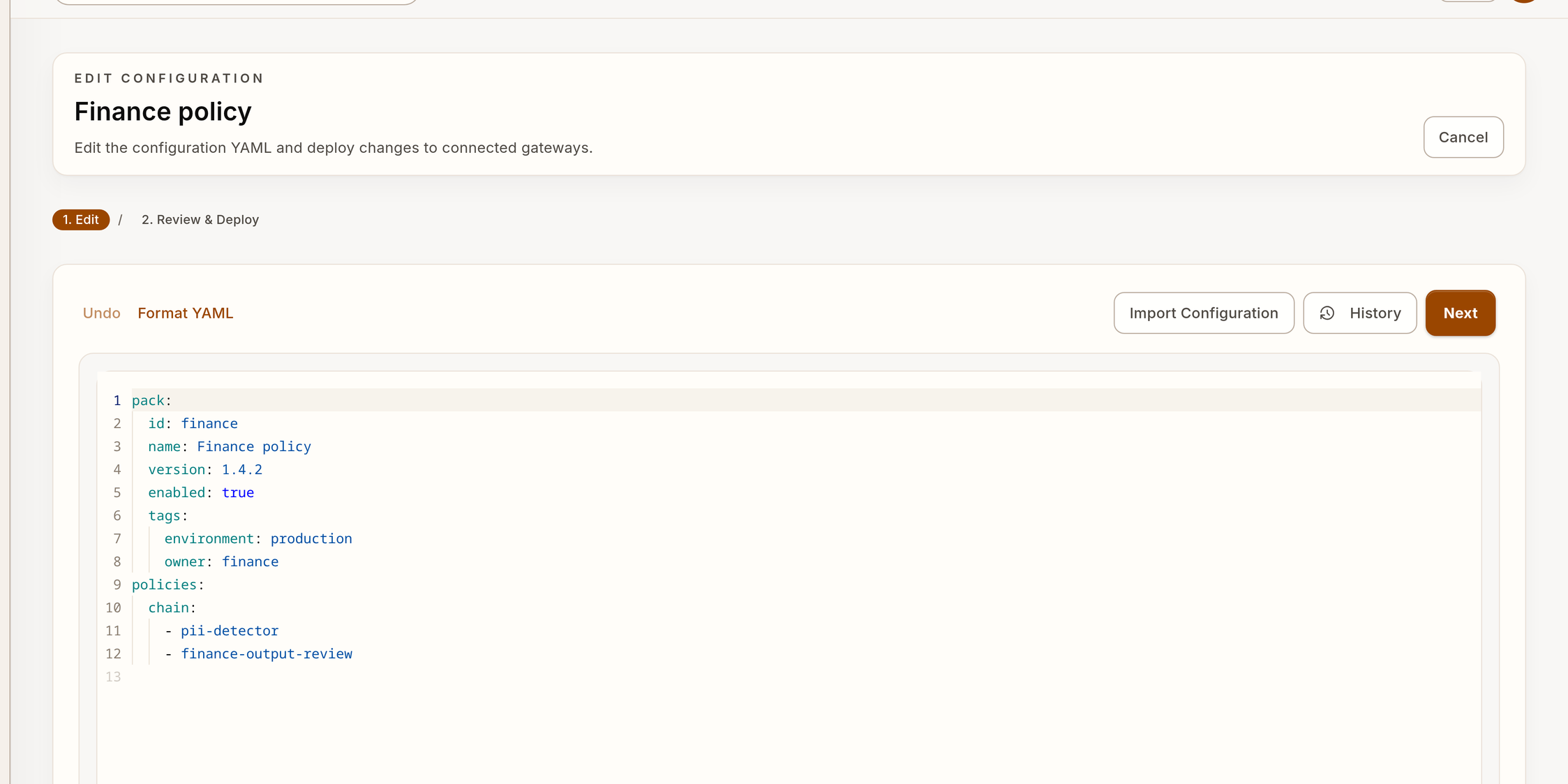
The workbench shows synthetic YAML data.
Workflow map
Typical workflow
- Open Configurations and find the target configuration.
- Review the saved version, recent change detail, and rollout target.
- Edit YAML or import a saved
policy-config.yaml. - Review validation findings before you save or deploy.
- Save a new version with a clear change detail.
- Roll the version out to the selected gateway or gateways.
- Verify the runtime state in Gateways.
- Query representative requests with
verdictan events tail --since 10m --jsonorGET /v1/events?since=10m. - Examine related review work in Inbox.
- If conversation capture is enabled, use History for session context.
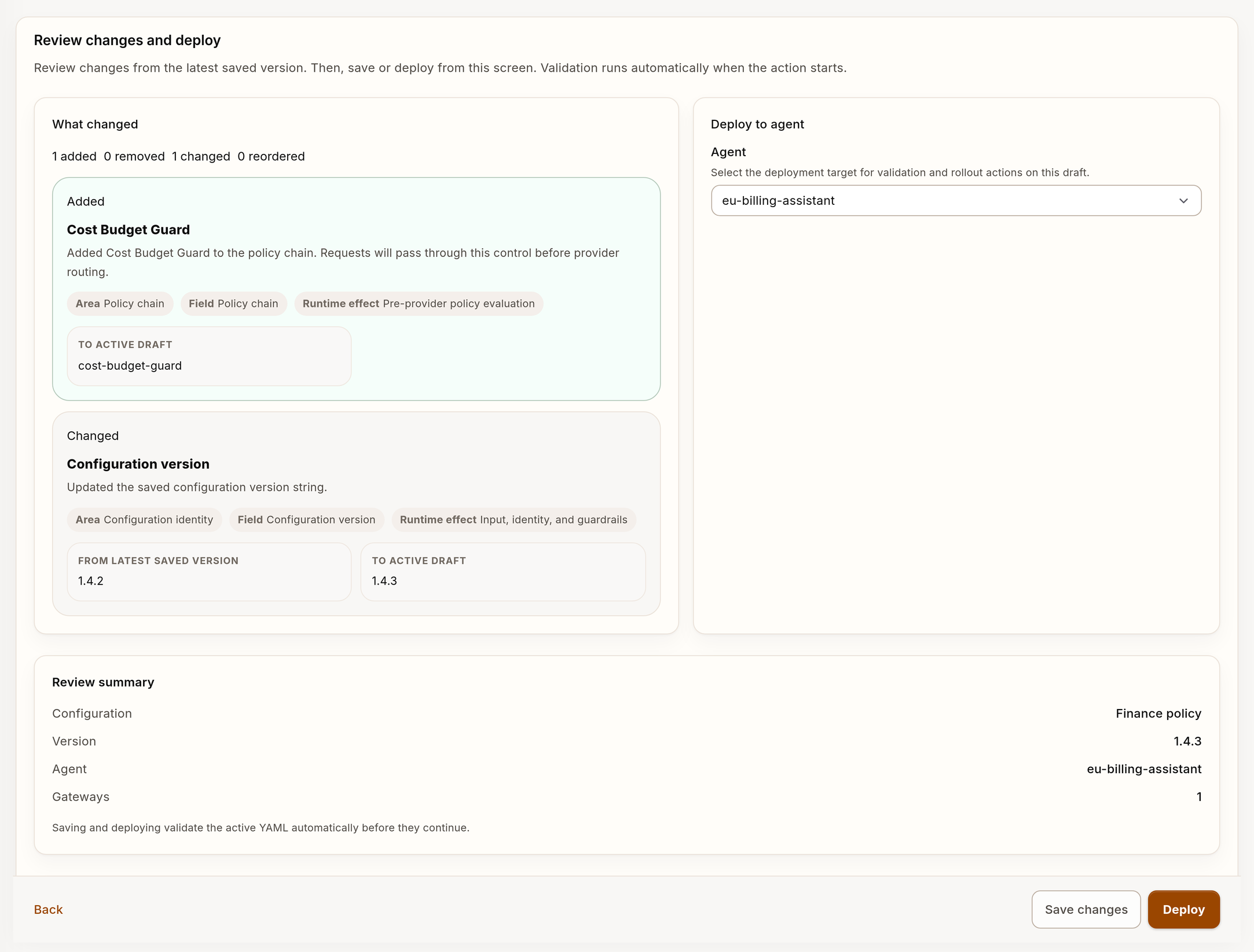
The review step shows synthetic configuration and deployment data.
Import saved YAML
Use Import Configuration when you have a policy-config.yaml file.
- Open the create flow.
- Select Import Configuration.
- Select the file from your machine.
- Review the imported YAML before you save or deploy.
Referencing secrets
Use secret_key_ref in the configuration. Do not put secrets directly in YAML.
Environment-backed secret reference:
secret_key_ref:
  env: VERDICTAN_OPENAI_API_KEY
Store-backed secret reference:
secret_key_ref:
  store: VERDICTAN_OPENAI_API_KEY
Create a stored secret from an environment variable:
verdictan secret create \
  --name VERDICTAN_OPENAI_API_KEY \
  --env-var VERDICTAN_OPENAI_API_KEY
Use env when you supply the credential directly to the local gateway process.
Use store when the runtime must get the value from Verdictan-managed secret
storage.
The names are operator-defined. Prefer a VERDICTAN_<PROVIDER>_* prefix so a
credential is not confused with a provider SDK credential consumed directly by
application code.
What to verify before rollout
Make sure that these statements are correct:
- The YAML has the correct routing and policy chain.
- The change detail gives sufficient information for subsequent review.
- Validation findings are understood before you deploy.
- The selected rollout target matches the correct gateway or environment.
What to verify after rollout
After rollout, use the product surfaces to verify the change. A save action does not show that the rollout succeeded.
Examine these items:
- Gateways for runtime health and the active version
verdictan events tailorGET /v1/events?since=10mfor representative governed requests and their request IDs- History for captured session context when conversation capture is enabled
- Inbox if the change can increase or decrease human-review volume
- Trail for audit chronology or exportable evidence of the rollout or follow-up activity
Bulk actions
The configurations list supports Delete selected configurations as a bulk inventory action. It does not expose bulk rollback. Use deletion carefully and verify the running state afterward.