Reviewing Alerts and Evidence
Use this workflow to turn a policy signal, unusual request, or human-review item into a reviewable evidence record. Start with the smallest available request or time-window scope. Expand the scope only when the evidence makes this action necessary.
Outcome
At the end of the review, you have:
- The request, escalation, or audit identifier that anchors the investigation.
- The decisive outcome and the policy, routing rule, or workflow that caused it.
- The configuration and time context that is necessary to interpret the result.
- A clear next action and owner.
- An export or durable evidence reference when the work must go to a different owner.
Select the right surface
| Purpose | Surface |
|---|---|
| Examine one request and its policy results | Set since and use the request ID with verdictan events tail or GET /v1/events |
| Add retained prompt/response session context | History, when capture is enabled |
| Review or complete a human-review item | Inbox |
| Reconstruct audit chronology or request an evidence export | Trail |
| Compare the result with a rollout | Configurations |
| Monitor a reproduction while it occurs | verdictan events tail |
Investigation loop
- Capture the reported time, environment, gateway or agent, and request ID when available.
- Find the decision Event by request ID with
verdictan events tail --since <window> --jsonorGET /v1/events?since=<window>. - If the request ID is not available, search the smallest applicable time window.
- Make sure that the last outcome, decisive policy result, provider and model context, and applicable configuration version are correct.
- If capture is enabled, open History for retained context.
- Open Inbox only when the request created a human-review item. Claim or complete that item after reviewing the underlying request.
- Use Trail for chronology or exportable evidence. Review only nearby activity that is related to the investigation.
- Record the conclusion, next action, owner, and evidence reference.
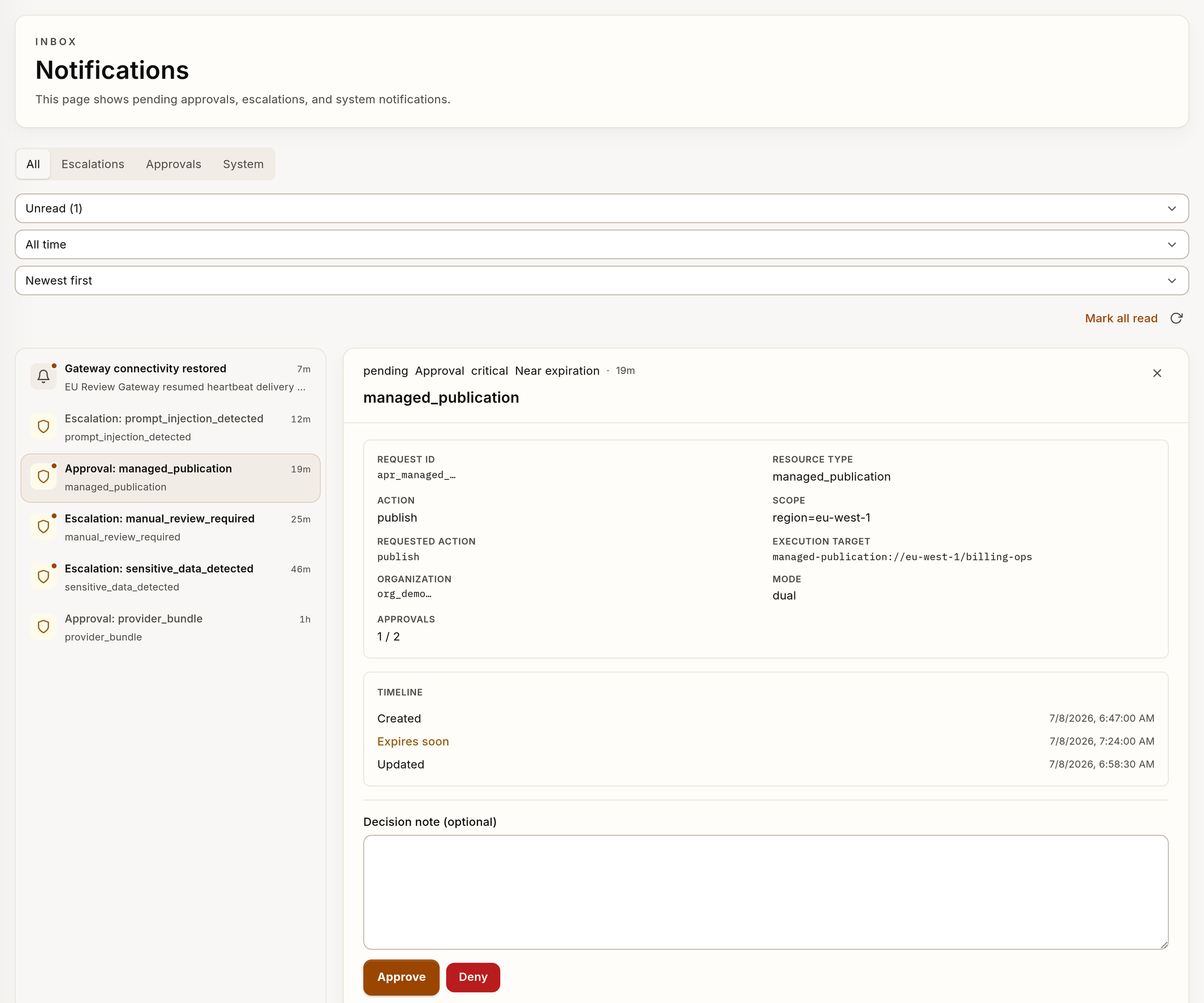
The Inbox example uses synthetic request and decision data.
Questions to answer
- Does the decision agree with the active policy?
- Did a recent rollout change behavior?
- Does the activity show misuse, drift, or a configuration gap?
- Which stakeholder must receive the evidence next: security, compliance, or product?
Build a useful evidence packet
Preserve sufficient context for a different reviewer to retrace the decision:
- Request or escalation IDs.
- Environment, gateway or agent, and time window.
- Last outcome and decisive policy or routing result.
- Configuration version or rollout context when available.
- Export filename or Trail reference.
- Your interpretation, known limitation, and next owner.
Do not copy provider credentials, client tokens, or request content that is not necessary into the handoff.
When evidence is missing
A missing History or Trail record does not prove that the request did not occur. History can be disabled. Delivery does not wait for a result. A standalone gateway can have no control-plane sink. Request families do not all create the same policy-evidence path.
When you cannot find the record:
- Make sure that the application used the correct gateway and request family.
- Examine gateway connectivity and history or event-delivery configuration.
- Reproduce the issue with
verdictan events tail --followwhen it is safe to do so. - Record the evidence gap explicitly. Do not invent a conclusion.
Close the review
The review is complete when the evidence supports one of these outcomes:
- Policy enforcement: document the decisive rule and share the reference.
- Narrow policy issue: preserve evidence before proposing a config change.
- High-impact regression: engage the rollout or rollback owner.
- Human decision: use the supported Inbox claim and resolution flow.
- Provider or application issue: hand off with the request context unchanged.