How To: Roll Out a New Template
Use this guide to move a Verdictan template into a verified runtime workflow.
Outcome
At the end of this workflow, you have these results:
- Selected the right template.
- Initialized and edited a local declarative config.
- Validated the config locally.
- Applied it to a running gateway.
- Verified runtime behavior from customer-facing product surfaces.
Workflow diagram
Step 1: Pick the closest template
Open the public Templates catalog and compare:
- Policy goals.
- Provider assumptions.
- Human-review behavior.
- The amount of tuning that is necessary in your environment.
Select the template that is closest to your operating domain. You can adjust it after selection.
Templates are reviewable starters, not certifications, legal advice, or proof that a workload is compliant with a named framework. Your deployed configuration, provider contract, operating controls, and evidence define the deployed boundary.
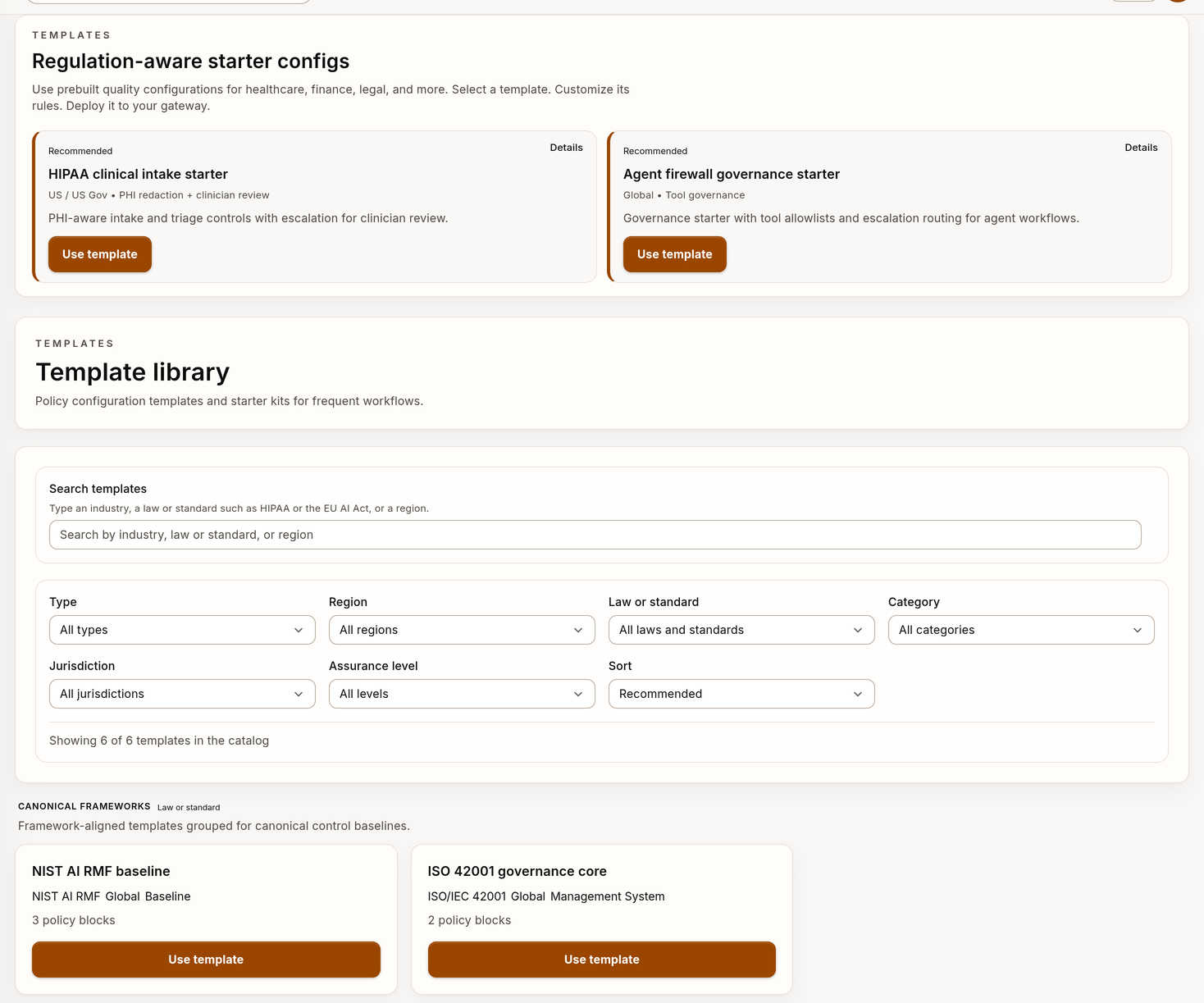
Example template catalog with synthetic data.
Step 2: Initialize and edit locally
First, make sure that the authenticated CLI can resolve the selected template ID:
verdictan init --list
verdictan init --template <template-id> --dir ./verdictan-template
cd ./verdictan-template
If the selected ID is not listed, stop and correct the API token, API endpoint, or template availability before continuing. Do not initialize a template with a name that is close to the selected name. It can have different controls.
Then:
- Read the generated
policy-config.yamlbefore changing it. - Edit provider targets, models, regions, and secret references for your environment.
- Review each policy action and threshold.
- Remove controls that do not apply to your environment.
- Add necessary controls that are not in the starter.
- Add representative allow, block, redact, and escalate cases in
tests/. - Review the declarative config reference for field-level validation help.
Step 3: Validate before traffic
Run lint and tests before you expose representative traffic to the new config.
verdictan policy lint --file policy-config.yaml
verdictan policy test --json
Linting proves the public config shape. The test suite proves only the cases you authored. The two commands do not prove provider connectivity, production identity, or organization-wide compliance.
If your team manages saved versions in the console, open Configurations after local validation. Review the history. Save a version with change details. Then, select the rollout targets.
Step 4: Verify the operating gateway configuration
For a connected gateway, bind the selected config to the selected agent:
export VERDICTAN_API_TOKEN="<gateway-runtime-token>"

verdictan gateway run \
  --agent <agent-name> \
  --listen 127.0.0.1:41002 \
  --policy-config policy-config.yaml
The runtime token belongs to the gateway. Use a different gateway key, access key, or personal API token for representative client requests.
After you start or update the gateway:
- Open Gateways.
- Open the target gateway detail.
- Verify the gateway health.
- Make sure that the applied configuration matches the planned rollout.
If the gateway detail does not show the selected config, stop the rollout. Correct the config before you make the template live.
Step 5: Validate with representative traffic
Send representative traffic through the gateway. Then, examine these sources:
verdictan events tail --since 10m --jsonorGET /v1/events?since=10mfor request outcomes and policy behavior.- History for captured session context when conversation capture is enabled.
- Inbox if the template introduces human-review paths.
- Trail for audit evidence of the rollout.
Step 6: Select continuation or tuning
- If runtime behavior matches intent, document the rollout and its owners.
- If false positives or unexpected review volume occur, narrow the policy scope. Then, run the cycle again.
Rollout checklist
- Template selected.
- Local config initialized.
- Lint and tests passed.
- Running config verified in Gateways.
- Representative traffic reviewed with
verdictan eventsor the Events API. - Captured session context reviewed in History when conversation capture is enabled.
- Review queues examined when applicable.